
References
https://www.raspberrypi.org/documentation/hardware/raspberrypi/spi/README.md
- Enable spi by using raspi-config
Using wiringPi
How to install the lib: http://wiringpi.com/download-and-install/
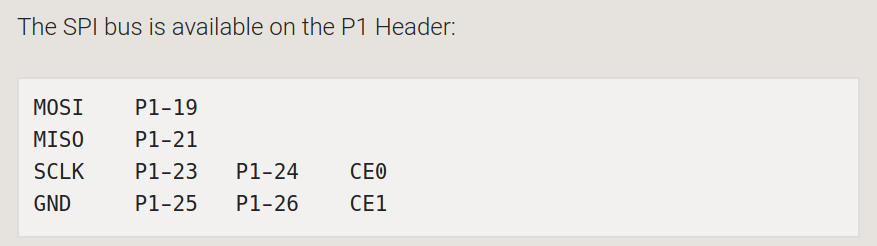
The API is very limited. We need to understand how to:
- disable CS when in master mode, so that we can control it over gpio API
- check polarities of data sampling and production
- when in slave mode, CS must be considered by driver
- n° of bytes to transfers must be 7 can we do it? In a single transfer (maybe not a problem in master, but maybe an issue in slave mode)
By looking at sources, we can see wiringPiSPISetup calls another function internally: wiringPiSPISetupMode with signature: int wiringPiSPISetupMode (int channel, int speed, int mode).
Mode is then passed to an ioctl. The macros are documented in linux sources:
https://github.com/torvalds/linux/blob/master/include/linux/spi/spi.h
https://github.com/torvalds/linux/blob/master/drivers/spi/spidev.c
The interesting macros are:
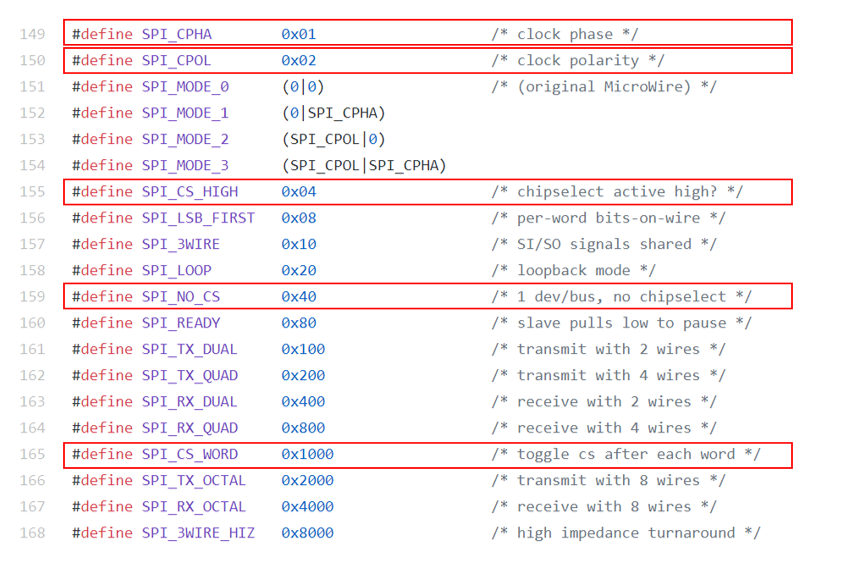
SPI_CS_HIGH would allow us to use a different polarities for chip select, while SPI_NO_CS should enabled the user to adopt some sort of handshake for data transfer synchronization. SPI_CS_WORD should be the bit used for continuous transfers (CS is not toggled after every frame). To be sure about our interpretation, we have to check the specific Raspberry Spi implementation. The port is:
https://github.com/raspberrypi/linux/blob/rpi-3.6.y/drivers/spi/spi-bcm2708.c
First we noticed an interesting part, that is, pin configuration:
bcm2708_init_pinmode...

define INP_GPIO(g) (gpio+((g)/10)) &= ~(7<<(((g)%10)3))
define SET_GPIO_ALT(g,a) (gpio+(((g)/10))) |= (((a)<=3?(a)+4:(a)==4?3:2)<<(((g)%10)3))

int pin;
u32 *gpio = ioremap(0x20200000, SZ_16K);

/* SPI is on GPIO 7..11 */
for (pin = 7; pin <= 11; pin++) {
    INP_GPIO(pin);      /* set mode to GPIO input first */
    SET_GPIO_ALT(pin, 0);   /* set mode to ALT 0 */
}

iounmap(gpio);
undef INP_GPIO
undef SET_GPIO_ALT
7,8,9…11 are the SCPI0 pins:
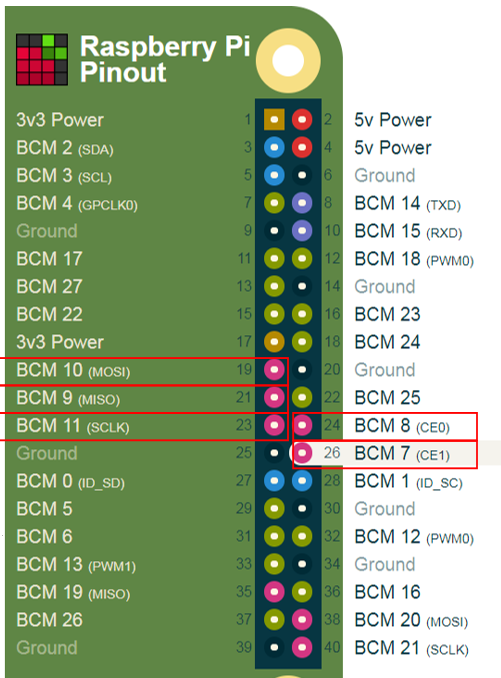
It looks like the that this bcm2708_init_pinmode function configured only one SPI. But wiringPi is supposed to work for both. How is this handled?
While trying to understand if this is really the code compiled in the kernel, we issued a lsmod, finding that that’s not true:
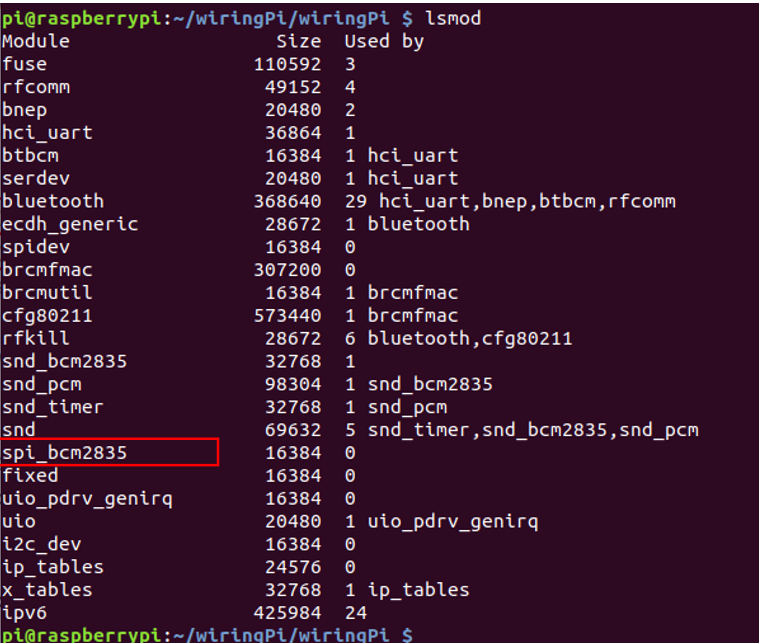
Let’s investigate about this 2835 version. From here:
https://github.com/notro/spi-bcm2708/wiki
it’s clear that 2835 is the streamlined version. Can we find it into sources? Moreover, what sources should we consider?

Let’s stay with the official sources:
https://github.com/raspberrypi/linux
Finally we got it:
Interestingly, we cannot handle more than one slave:
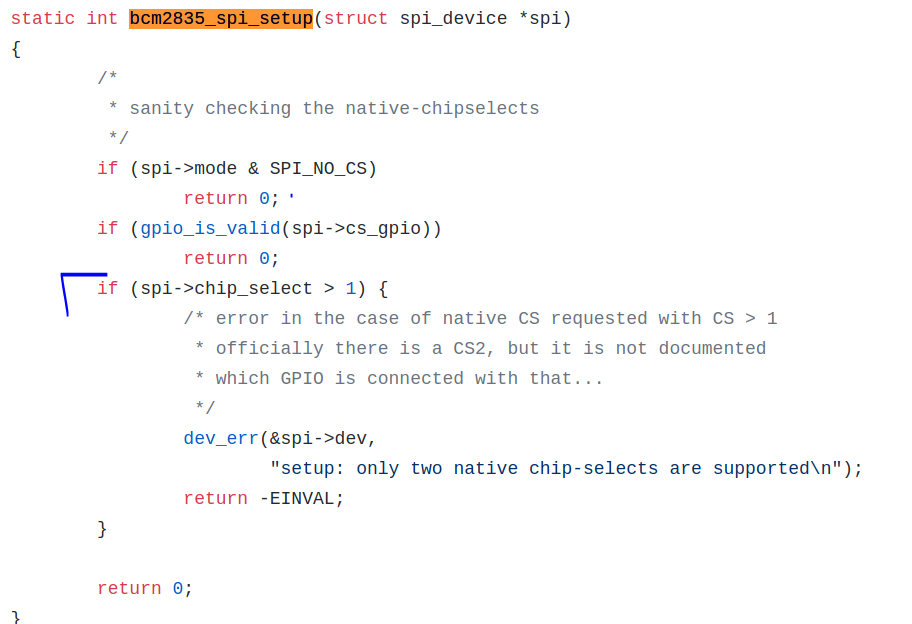
That’s a shame! Luckily for this project we have just a master or slave device to talk with. Apparently the user-driven CS option is in place, but we need to be sure that the overlay associated with the raspberry spi does not prevent the CS from being driven by user.
A first test could be to re-compile wiring pi to pass NO_CS mode. These are the main mods to the code:
#define CUSTOM_MODE  (SPI_CS_HIGH | SPI_NO_CS | SPI_CPOL| SPI_CPHA)
...
if(( myFd = wiringPiSPISetupMode( SPI_CHAN, speed, CUSTOM_MODE)) < 0)
...
wiringPiSPIDataRW (SPI_CHAN, myData, 8);
int idx = 0;
for(idx = 0; idx < MAX_SIZE; idx++)
{
  myData[idx] = 0xaa;
}
The very last modification is needed because wiringPiSPIDataRW puts MISO data on the buffer where MOSI data must be sent. The result is that while SPI_CPHA and SPI_CPOL are correclty configured, other parameter bits (SPI_CS_HIGH and SPI_NO_CS) and not. Skimming the sources we see, indeed:
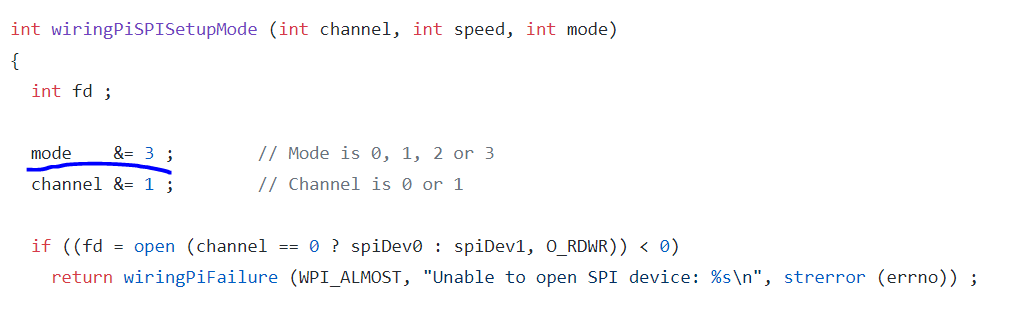
Let’s try to remove this limitation and recompile it to see if something happens. Yes! SPI_CS_HIGH works just fine and SPI_NO_CS also. We need finally to check if we can use the CS from user code. The CS to check is n° 10:
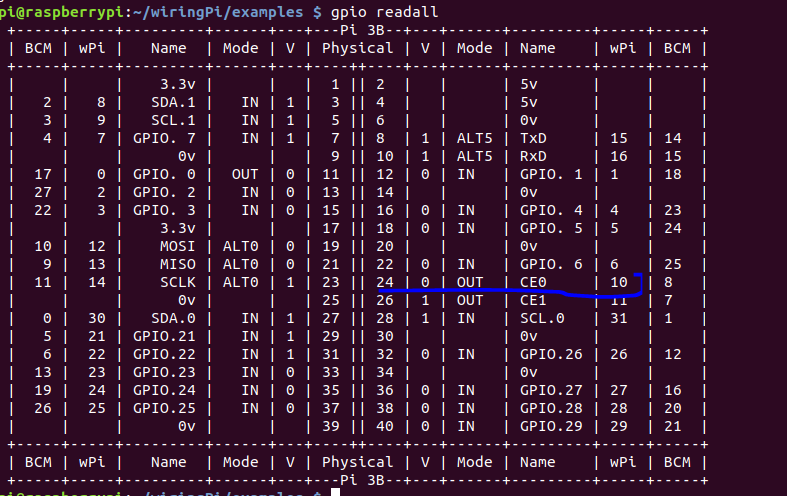
It works! But actually we discover a small problem related to latency. Once the CLK stops working, then it takes around 12ms to execute the instruction next to wiringPiSPIDataRW. Some hidden delay? After a second experiment, such delay seems not related to payload lenght. By inspecting the wiringPi wrapper, it doesn’t perform anything unusual. Is it something related to gpio writes? Let’s try to remove them. Nothing changes! It’s spi stuff. Isn’t it?
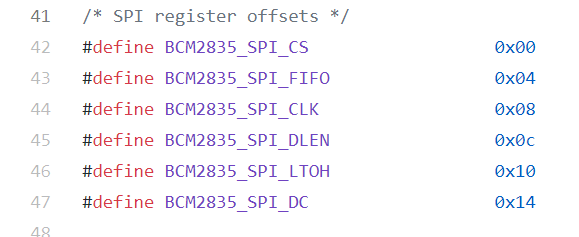
Let’s investigate the driver and the peripheral itself. According to Broadcom BCM2835 peripheral manual,
https://www.raspberrypi.org/app/uploads/2012/02/BCM2835-ARM-Peripherals.pdf
section “SPI Address Map”, the registers are as those define in the driver:
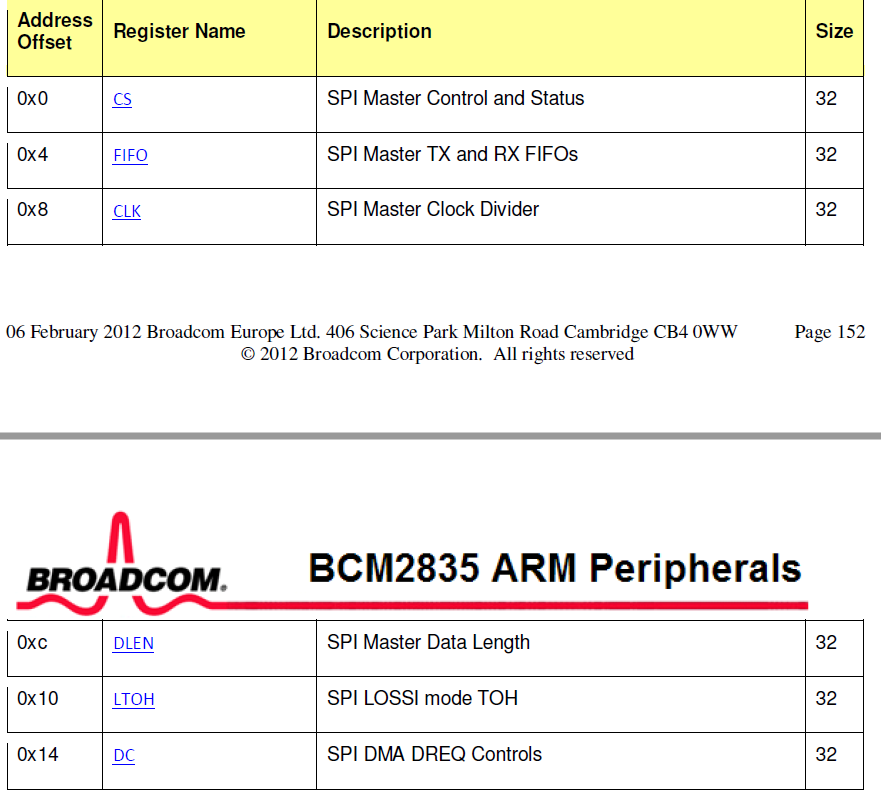
Nothing. I then moved back to user code and changed the MAX_SIZE value from 1048576 to 8. This made the Rpi work at around 2.4ms delay. Not so small but it can work.
The spi also works with 7 bytes frames, so it’s time to put in loopback with an external spi master device!